Take the order
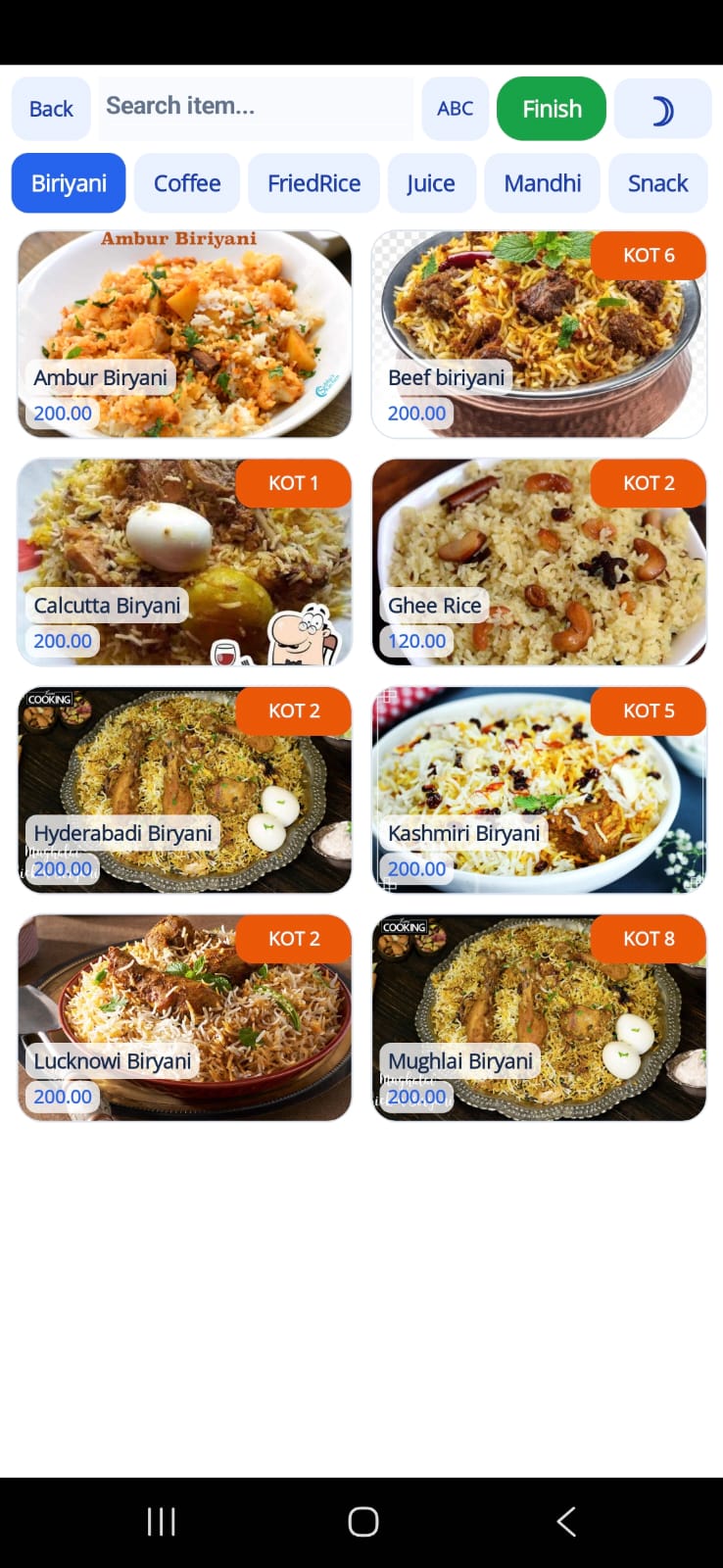
Choose a table. Add items by picture, search or barcode where configured.
Item selection guideA CLEARER WAY TO RUN YOUR COUNTER
Your tables, kitchen, payments and stock — connected to the work you do every day. Meet PocketTill, built for restaurants, cafés and busy counters.
Illustrative payment summary. Taxes and charges depend on your settings.
THE WHOLE SERVICE, IN VIEW
Give each part of service a clear next step, from the waiter’s order to the cashier’s payment.
Choose a table. Add items by picture, search or barcode where configured.
Item selection guideReview the KOT, include instructions and follow preparation status.
Kitchen guideSee ready items and update delivery when they reach the customer.
Table service guideCheck the balance, choose the payment mode and confirm the bill.
Cash counter guideMORE THAN THE BILL
Keep the practical parts of running your business together, with access that fits each person’s work.
Item thumbnails, quantities, discounts and configured taxes. Cash, card, UPI, credit and mixed payment options where enabled.
Manage table orders, kitchen instructions, preparation and delivery status.
Record item purchases, review stock balances and use the configured inventory costing policy.
Expenses, receipts, party ledgers and financial reports give you a view beyond daily sales.
Separate roles and permissions for the people working at your tables, kitchen and counter.
Features depend on the installed version, enabled settings, permissions and device setup.
A SETUP THAT FITS YOUR SHOP
Use PocketTill independently, or connect approved devices to the main shop database over your local network.
Understand your device modeYour device runs its own local business database.
The main device holds the shop’s active database.
Staff devices connect to the configured server on the shop network.
Local server/client operation depends on your shop network and server availability.
KEEP YOUR BUSINESS RECORDS CLOSE
Create and verify local backups on the main device. Optional Google Drive backup is available where configured, with access controlled by the Admin.
Read the backup guideBEFORE YOU GET STARTED
The current application targets Windows and Android. Available functions and printer connections depend on your installed version and configuration.
Configured client devices can connect to the main server on the shop’s local network. Roles and permissions control the work each user can perform.
Open the Help centre and choose a topic or search. The help integration package also adds a ? button to supported app pages after it is installed.
This product website and help centre do not collect your bills or customer database. Help is instructional and does not open your business records.